
As an Amazon Influencer, we earn from qualifying purchases you might make if you click any of the links or buttons on this page.
Last reviewed: August 28, 2026
The RX 9060 XT 16GB and RTX 5060 Ti 16GB are close enough in normal gaming performance that this is no longer a simple “which GPU is faster?” comparison.
Both have 16GB of VRAM. Both are very good 1080p cards. Both are much more interesting at 1440p than their 8GB versions.
The real decision is how much extra you are paying for NVIDIA’s ray tracing, DLSS and creator ecosystem.
If that premium is small, the RTX 5060 Ti 16GB has a strong case. If it becomes large, the small native-performance advantage stops mattering and the RX 9060 XT 16GB becomes the smarter buy.
RX 9060 XT 16GB vs RTX 5060 Ti 16GB: quick comparison
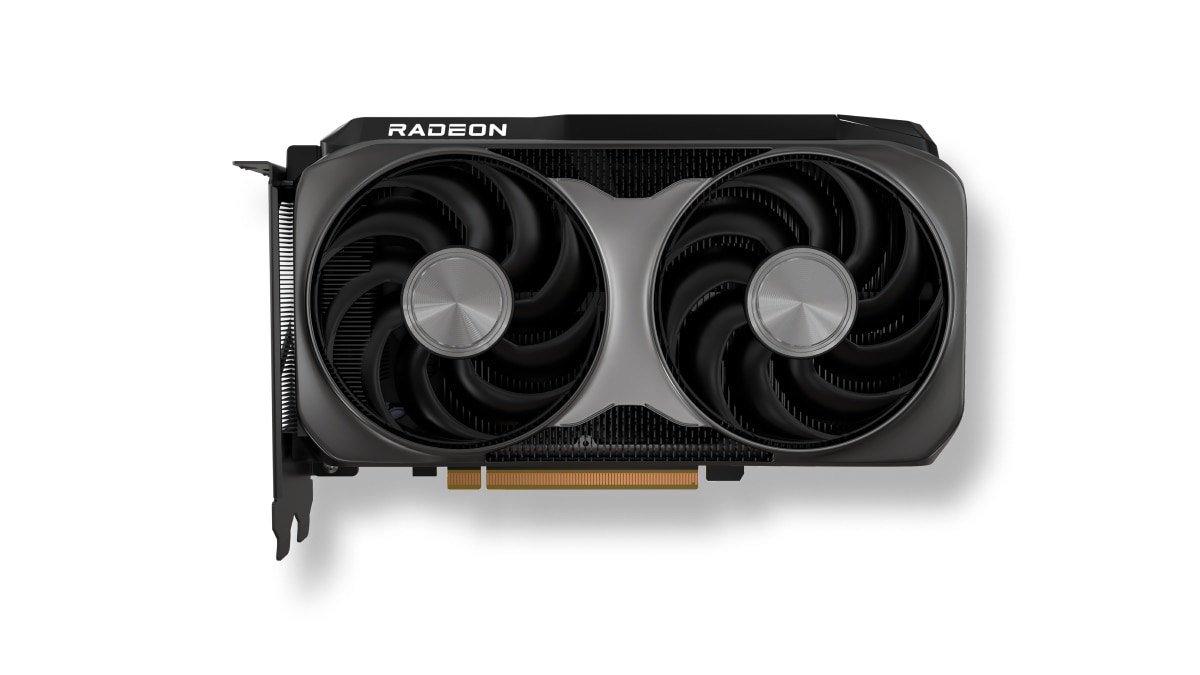
AMD Radeon RX 9060 XT 16GB
Choose the Radeon if gaming is the job and it is clearly less expensive than the GeForce.
Native performance is close enough that a large NVIDIA premium usually buys features rather than another performance tier.
PowerColor Reaper RX 9060 XT 16GB — Amazon affiliate link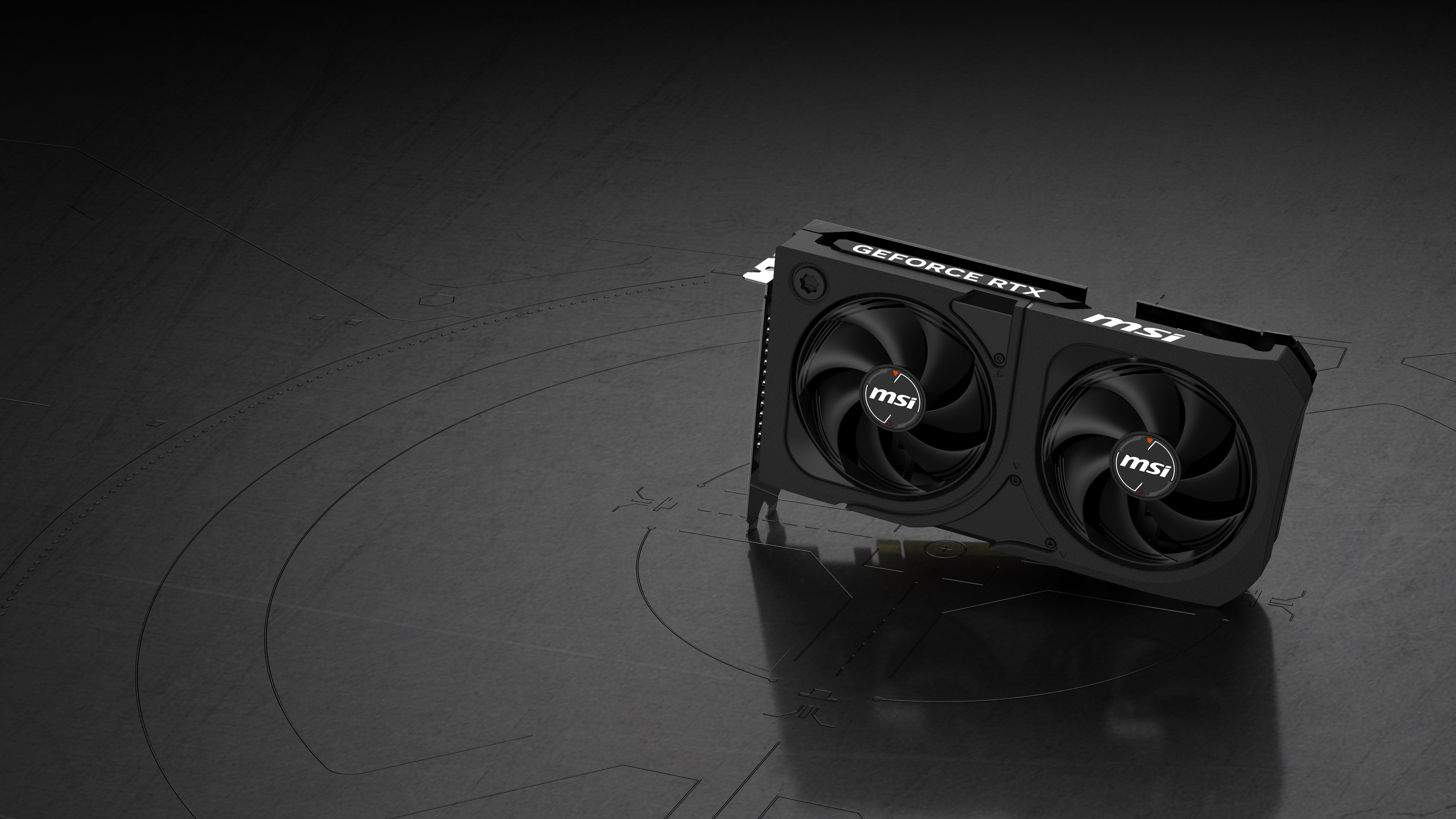
NVIDIA GeForce RTX 5060 Ti 16GB
Choose the GeForce when stronger ray tracing, DLSS, creator software, local AI or CUDA support changes what you can actually do with the PC.
It is also usually modestly faster in native gaming, but that advantage has to be compared with the real price premium when you buy.
MSI RTX 5060 Ti 16GB Shadow 2X OC — Amazon affiliate linkSpecifications: what is actually different?
Swipe → to see the full comparison
| Specification | RX 9060 XT 16GB | RTX 5060 Ti 16GB | What it means |
|---|---|---|---|
| Architecture | AMD RDNA 4 | NVIDIA Blackwell | Different feature and software ecosystems |
| VRAM | 16GB GDDR6 | 16GB GDDR7 | Capacity is a tie |
| Memory bus | 128-bit | 128-bit | Memory type/bandwidth differs |
| Memory speed | 20Gbps | 28Gbps | NVIDIA has higher raw memory bandwidth |
| Memory bandwidth | 320GB/s | 448GB/s | Does not translate directly into the same percentage FPS lead |
| PCIe interface | PCIe 5.0 x16 | PCIe 5.0 x8 electrically | Radeon is friendlier to some older PCIe systems |
| Reference / rated GPU power | 160W | 180W | Both are moderate-power GPUs |
| Upscaling family | FSR Redstone / FSR Upscaling | DLSS 4.5 | NVIDIA still has the broader ecosystem |
| Frame generation | FSR ML Frame Generation | Dynamic Multi Frame Generation | NVIDIA can generate multiple intermediate frames |
| Ray tracing | Improved substantially with RDNA 4 | Stronger overall | RTX wins if RT is a major priority |
| Creator / AI ecosystem | Improved AMD media + AI support | CUDA, OptiX, Studio, NVENC | NVIDIA is safer for many professional workloads |
The most important rule: compare the price gap, not the logos
My buying rule
If the RTX 5060 Ti 16GB is within roughly 10% of the RX 9060 XT 16GB: I would seriously consider NVIDIA because you are getting a modest native-performance edge plus the stronger feature stack.
If the GeForce premium is roughly 10–15%: the choice depends on use. Gaming-first buyers should usually lean Radeon; ray tracing and creator users can justify NVIDIA.
If the RTX 5060 Ti costs 20% or more extra: I would buy the RX 9060 XT for gaming unless a specific NVIDIA-only workload is paying for the difference.
At the time of this August 2026 review, the real U.S. GeForce premium is well beyond what I would pay for ordinary gaming.
1080p gaming: RTX is usually a little faster, but both are already fast
At 1080p, the RTX 5060 Ti 16GB generally has a small native rasterization advantage.
How large that advantage looks depends on the benchmark suite.
TechSpot’s launch-era multi-game testing put the Radeon about 6% behind overall at 1080p, while more recent aggregate testing also puts the GeForce in front by a single-digit percentage.
That is real performance. It is just not enough performance to justify any price premium.
At 1080p, your CPU can matter more than this GPU gap
If you play competitive games at very high refresh rates, a CPU limitation can shrink the visible difference between these cards. Do not pay more for 7% theoretical GPU performance if your processor or monitor is already the limit.
1440p gaming: this is the comparison that matters most
1440p is where I think both 16GB cards make the most sense.
TechSpot’s original comparison found them essentially tied at this resolution, with the Radeon only around 1% behind across its test suite.
Tom’s Hardware’s newer 2026 hierarchy gives the RTX 5060 Ti a larger advantage of roughly 9%.
That range tells you something important: the specific games you play matter more than the average.
Some favor Blackwell. Some favor RDNA 4. A few can put the Radeon ahead.
So I would not buy the RTX 5060 Ti because someone says “it is 9% faster.”
I would look at the current price difference and ask whether that modest average advantage plus NVIDIA’s feature set is worth the additional money.
1440p pure raster gaming
RX 9060 XT 16GB is the better default when the Radeon is clearly cheaper.
1440p with RT / DLSS
RTX 5060 Ti 16GB becomes more attractive if the price premium is reasonable.
What about 4K?
Having 16GB of VRAM does not automatically make either GPU a high-end 4K card.
Modern aggregate native testing puts both well below the performance class I would target for maxed-out 4K gaming.
You can absolutely play at 4K by adjusting quality settings and using DLSS or FSR, but if 4K high-refresh gaming is the main purpose of a new build, I would normally move up a GPU tier.
Do not buy 16GB and assume that means “4K GPU”
VRAM capacity prevents a memory bottleneck. It does not create the shader, ray-tracing or memory-throughput performance of an RX 9070/9070 XT or faster GeForce card.
Ray tracing: RTX 5060 Ti 16GB wins
This is NVIDIA’s clearest gaming advantage.
TechSpot’s ray-tracing suite had the RX 9060 XT around 20% slower overall.
The size of the gap varies dramatically by game.
In well-optimized titles such as Spider-Man Remastered and Metro Exodus Enhanced, the cards can be surprisingly close.
In heavier RT workloads such as Black Myth: Wukong or Indiana Jones, the RTX 5060 Ti can be much faster.
There is one important catch: a huge percentage lead is not always a useful win when both cards are running at low absolute frame rates.
If one card produces 26 FPS and the other 51 FPS, NVIDIA is dramatically faster—but you will probably still use upscaling, frame generation, lower RT settings or all three.
Buy the RTX for RT because you actually use RT
Do not pay a large NVIDIA premium for a feature you routinely disable. If your normal settings are high/ultra raster with ray tracing off, the Radeon value argument becomes much stronger.
DLSS 4.5 vs AMD FSR Redstone
This comparison has changed since these GPUs originally launched.
AMD’s old “FSR 4” name is now part of AMD FSR Redstone.
AMD currently describes the suite as:
- FSR Upscaling — the technology formerly called FSR 4,
- ML-based FSR Frame Generation,
- FSR Ray Regeneration,
- and Radiance Caching.
AMD can also upgrade compatible FSR 3.1 integrations through Radeon Software in supported games.
That makes the RX 9060 XT’s feature story substantially better than older Radeon comparisons suggest.
NVIDIA still has the overall advantage.
The RTX 5060 Ti supports DLSS 4.5 with a newer transformer model, Dynamic Multi Frame Generation, Ray Reconstruction and the wider RTX software ecosystem.
AMD wins if…
the games you actually play support current FSR well and the Radeon saves meaningful money.
NVIDIA wins if…
DLSS support, Ray Reconstruction and Multi Frame Generation are major parts of how you intend to play.
Frame generation is not the same thing as raw GPU performance
This deserves its own section because generated-FPS screenshots can make a midrange GPU look much faster than it really is.
Frame generation inserts AI-generated intermediate frames.
That can make motion look much smoother when the base frame rate is already healthy.
But generated frames do not replace the responsiveness of real rendered frames.
So when comparing the RX 9060 XT and RTX 5060 Ti, I use native or normally upscaled performance to establish which GPU is actually faster.
Then frame generation is treated as a feature on top of that.
16GB vs 16GB: VRAM is a tie—and that is good news
One of the nicest things about this specific comparison is that neither card loses because of memory capacity.
Both have 16GB.
That is a much safer place to be for modern 1440p games, high-resolution textures and a card you plan to keep for years.
Make sure you are actually buying the 16GB version
Both the RX 9060 XT and RTX 5060 Ti have also been sold in 8GB configurations.
Those are not interchangeable recommendations.
If your goal is modern AAA gaming at 1440p and reasonable longevity, I would buy the 16GB version of either card rather than saving money on the 8GB model.
GDDR7 does not automatically make the RTX dramatically faster
The RTX 5060 Ti has technically more advanced memory: 16GB of GDDR7 running at 28Gbps.
The RX 9060 XT uses 16GB of GDDR6 at 20Gbps.
NVIDIA therefore has substantially more raw memory bandwidth.
But GPU performance is the result of the entire architecture, cache system, shaders, clocks, drivers and game engine.
That is why the real gaming difference is usually single digits rather than the much larger percentage you might assume from memory bandwidth alone.
PCIe x16 vs x8: older PCs should pay attention
AMD connects the RX 9060 XT through a full PCIe 5.0 x16 interface.
The RTX 5060 Ti uses eight electrical PCIe lanes. Some cards use a full-length physical connector, but the GPU itself operates at x8.
On a modern PCIe 4.0 or PCIe 5.0 gaming system, this normally is not a reason by itself to avoid the RTX 5060 Ti 16GB.
It becomes more relevant on older PCIe 3.0 platforms.
Testing of these architectures has shown that the Radeon can hold up better in bandwidth-sensitive scenarios because its x16 interface gives it twice the PCIe bandwidth at the same generation.
Upgrading an older AM4 or Intel PC?
If your primary graphics slot is only PCIe 3.0, do not assume the same comparison applies as on a new AM5 build. Check your exact motherboard, CPU and target game before buying.
Power consumption and PSU requirements
RX 9060 XT 16GB
AMD rates the GPU at 160W typical board power and lists a 450W reference minimum PSU recommendation.
Individual partner cards can recommend more. The compact PowerColor Reaper, for example, specifies a 500W system PSU and uses one 8-pin PCIe connector.
RTX 5060 Ti 16GB
NVIDIA’s GPU operates around a 180W graphics-power class.
MSI recommends a 600W PSU for its compact Shadow 2X OC Plus, which also uses one conventional 8-pin connector.
Do not choose a power supply from GPU wattage alone. CPU power, drives, fans, transient behavior and PSU quality all matter.
Which is better for a small form factor PC?
The answer depends heavily on the exact partner card, but the Radeon has an advantage in the representative compact models I would look at.
The PowerColor Reaper RX 9060 XT 16GB is only about 220mm long overall, two slots thick and uses a single 8-pin connection.
MSI’s RTX 5060 Ti 16GB Shadow 2X OC Plus is also impressively compact at approximately 226 × 126 × 41mm.
Both can work extremely well in small systems.
The Radeon GPU’s lower reference power target gives it a slight advantage when thermal capacity is tight.
Check your exact GPU and case fit →
Streaming, video editing and media encoding
AMD made a major step forward with RDNA 4’s media engine, and the RX 9060 XT supports AV1 hardware encoding and decoding.
So I would not describe Radeon as a bad streaming card.
NVIDIA still has the safer ecosystem for somebody whose GPU is both a gaming card and a production tool.
RTX 50-series cards include ninth-generation NVENC, NVIDIA Broadcast, Studio drivers and extensive acceleration in popular editing and creator software.
If you simply record gameplay occasionally, that alone would not make me pay a huge premium.
If video production is part of your income or workflow, NVIDIA’s broader application support deserves much more weight.
Blender, CUDA and local AI: RTX wins clearly
This is where the comparison stops being close.
In Tom’s Hardware’s Blender testing, the RTX 5060 Ti delivered roughly twice the performance of the RX 9060 XT.
Native OptiX support is a major reason.
CUDA also remains deeply embedded in AI, 3D rendering and professional software.
Do not buy the Radeon to save money if your software wants CUDA
A graphics card is only good value when it performs the work you bought it for. If Blender, CUDA, ComfyUI, local AI, NVIDIA Studio or an NVIDIA-optimized professional application is central to the machine, the RTX 5060 Ti can be the better purchase even when its FPS-per-dollar is worse.
Which actual RX 9060 XT 16GB cards should you look at?
The GPU matters more than small factory-overclock differences, so I would prioritize cooling quality, dimensions and current price.
- Sapphire Pulse RX 9060 XT 16GB — a strong general-purpose model to check first.
- PowerColor Hellhound RX 9060 XT 16GB — worth considering when cooling/noise matter.
- ASRock Steel Legend RX 9060 XT 16GB — particularly useful for a white build.
- PowerColor Reaper RX 9060 XT 16GB — especially good when compact dimensions matter.
Which actual RTX 5060 Ti 16GB cards should you look at?
I would be even more price-disciplined with the GeForce.
Paying a large premium for a luxury cooler on a 180W-class RTX 5060 Ti can push the card into a price bracket where a faster GPU becomes the better decision.
- ASUS Dual RTX 5060 Ti 16GB — a straightforward model to check when priced competitively.
- Gigabyte Eagle OC RTX 5060 Ti 16GB — a sensible conventional alternative.
- MSI Gaming OC RTX 5060 Ti 16GB — useful when cooling and acoustics justify the model premium.
- MSI Shadow 2X OC Plus 16GB — a compact two-fan option that is particularly easy to fit.
Check which GPU actually fits your PC
Monitor Match Calculator
Check whether your monitor actually benefits from this class of GPU before paying for performance you cannot display.
Match the GPU to your monitor →GPU Upgrade Calculator
Compare your current graphics card with the upgrade and check whether your existing system makes the jump worthwhile.
Check your GPU upgrade →PC Bottleneck & Balance Calculator
Check the GPU against your processor, target resolution and workload before replacing more hardware than necessary.
Check CPU and GPU balance →PSU Wattage Calculator
Add your CPU, GPU and the rest of the system to check an appropriate PSU capacity.
Calculate PSU wattage →Case & GPU Fit Calculator
Check the exact card length, thickness, radiator clearance and power-cable space before ordering a partner model.
Check case and GPU fit →BC Zone: RX 9060 XT 16GB vs RTX 5060 Ti 16GB
This BC Zone comparison walks through the same buying decision in video form, including native gaming performance, NVIDIA’s feature advantages and when the Radeon makes more sense for the money.
Which should you buy?
1080p / 1440p gaming
RX 9060 XT 16GB when it is clearly cheaper. The native gaming difference is too small to justify a large GeForce premium.
Ray tracing / DLSS
RTX 5060 Ti 16GB if you actively use heavy RT, DLSS and NVIDIA’s neural-rendering features.
Blender / CUDA / AI
RTX 5060 Ti 16GB. This is the clearest NVIDIA win and can outweigh worse gaming value.
Small form factor
RX 9060 XT 16GB has a slight power advantage, but compare exact partner-card dimensions because both GPUs have compact two-fan versions.
Older PCIe 3.0 PC
Lean RX 9060 XT 16GB. Its x16 interface provides more link bandwidth than the RTX 5060 Ti’s x8 connection.
Price gap is tiny
Lean RTX 5060 Ti 16GB. When the premium shrinks to around 10%, its extra features and modest performance lead become much easier to justify.
Five mistakes to avoid
- Accidentally buying the 8GB version. Both GPU families have 8GB models. Confirm “16GB” in the listing.
- Using frame-generated FPS as proof of raw performance. Compare native/upscaled rendering first, then treat frame generation as an additional feature.
- Paying RTX 5060 Ti money that puts you near a faster GPU tier. Always compare the next card up before checkout.
- Assuming GDDR7 makes NVIDIA massively faster. Real gaming benchmarks matter more than memory-spec arithmetic.
- Ignoring your existing PCIe generation. The RTX 5060 Ti’s x8 interface matters more on older systems than it does on a modern PCIe 4.0/5.0 platform.
The decision in 30 seconds
Buy RX 9060 XT 16GB if…
- gaming is the main job,
- you play mostly without heavy ray tracing,
- you want excellent 1440p value,
- you are upgrading an older PCIe system,
- or the Radeon is clearly cheaper.
Buy RTX 5060 Ti 16GB if…
- the price gap is small,
- ray tracing matters a lot,
- you prefer DLSS 4.5 / Dynamic MFG,
- you use Blender, CUDA or local AI,
- or NVIDIA Studio/NVENC is part of your workflow.
For the market as it stands right now
I would buy the RX 9060 XT 16GB for gaming. The RTX 5060 Ti 16GB is a very capable GPU, but its feature advantages do not justify the current U.S. pricing premium for a gaming-only system. Recheck prices before buying because this verdict can flip if GeForce pricing returns to normal.
Continue planning your build
RX 9060 XT 16GB vs RTX 5060 Ti 16GB FAQ
Is the RTX 5060 Ti 16GB faster than the RX 9060 XT 16GB?
Usually, but not by a large amount in normal rasterized gaming. Depending on the game suite, the average difference can range from almost nothing at 1440p to roughly high-single digits.
Which is better for 1440p gaming?
At current pricing, I would choose the RX 9060 XT 16GB for a gaming-first system. Both deliver good 1440p performance, but the Radeon normally provides better performance per dollar.
Which is better for 1080p gaming?
Both are excellent. The RTX 5060 Ti is generally modestly faster, but the RX 9060 XT is usually the better value when its price is meaningfully lower.
Which is better for 4K?
The RTX 5060 Ti is faster overall, but neither is the GPU I would choose specifically for high-refresh max-settings 4K. Upscaling and reduced settings can make 4K usable, but a faster GPU tier is preferable for a dedicated 4K build.
Which has better ray tracing?
The RTX 5060 Ti 16GB. NVIDIA retains a meaningful advantage in demanding RT workloads, although the size of the difference varies widely by game.
Is FSR 4 still called FSR 4?
AMD now groups its current ML gaming technologies under FSR “Redstone.” What was previously called FSR 4 is now called FSR Upscaling within that suite.
Is DLSS better than FSR?
NVIDIA still has the stronger overall ecosystem and broader neural-rendering feature set. AMD’s current ML-based FSR technologies are much more competitive than older FSR versions, so the gap depends heavily on the game you actually play.
Does the RTX 5060 Ti support Multi Frame Generation?
Yes. Current RTX 50-series software supports DLSS 4.5 with Dynamic Multi Frame Generation in compatible games.
Do both cards have 16GB of VRAM?
These specific versions do. The RX 9060 XT 16GB uses GDDR6, while the RTX 5060 Ti 16GB uses GDDR7. Both GPU families also have 8GB variants, so check the listing carefully.
Is GDDR7 better than GDDR6?
The RTX 5060 Ti’s GDDR7 provides higher memory speed and bandwidth, but that does not make the card proportionally faster in games. Whole-GPU benchmarks are more useful than comparing memory specifications alone.
Which card is better for Blender?
The RTX 5060 Ti is substantially better. Blender’s OptiX acceleration strongly favors NVIDIA, and independent testing has shown roughly twice the performance of the RX 9060 XT in this workload.
Which is better for streaming?
Both support modern AV1 hardware encoding. NVIDIA remains the safer choice when you specifically use NVENC, Broadcast, Studio drivers or software optimized around the NVIDIA ecosystem.
Which is better for local AI?
The RTX 5060 Ti is generally the easier recommendation because CUDA and NVIDIA’s AI software ecosystem have much broader support across popular local-AI applications.
Which uses less power?
AMD rates the RX 9060 XT 16GB at 160W typical board power, while the RTX 5060 Ti is in the 180W class. Exact partner-card behavior can vary.
Which is better for PCIe 3.0?
I lean toward the RX 9060 XT 16GB. It uses a full x16 interface while the RTX 5060 Ti is electrically x8, giving the Radeon more PCIe bandwidth on an older PCIe 3.0 platform.
Should I buy the 8GB version instead?
Not for a new 1440p-focused system. Modern games increasingly exceed 8GB at otherwise sensible settings, and the 16GB versions are the ones I would target for longer-term use.
How much more should I pay for the RTX 5060 Ti 16GB?
For gaming alone, I would be reluctant to pay more than roughly 10% extra. A larger premium can make sense when ray tracing, CUDA, Blender, AI or NVIDIA’s creator stack is important. Once the premium reaches around 20% or more, the Radeon becomes much easier to recommend for a gaming-first system.
Specification and benchmark references
- AMD — Radeon RX 9060 XT 16GB specifications
- AMD — FSR Redstone technologies
- NVIDIA — GeForce RTX 5060 family
- MSI — RTX 5060 Ti 16GB Shadow 2X OC Plus specifications
- PowerColor — Reaper RX 9060 XT 16GB specifications
- TechSpot — RX 9060 XT 16GB gaming and ray-tracing testing
- Tom’s Hardware — 2026 GPU benchmark hierarchy
- Tom’s Hardware — RX 9060 XT vs RTX 5060 Ti creator and Blender testing
- TechSpot — PCIe bandwidth and 8GB/16GB testing
- BC Zone — RX 9060 XT 16GB vs RTX 5060 Ti 16GB
- Best Motherboard Zone — GPU Upgrade Calculator
- Best Motherboard Zone — Case & GPU Fit Calculator

- RX 9060 XT 16GB vs RTX 5060 Ti 16GB: Which Should You Buy? - August 28, 2026
- Best X870 Motherboards Under $300 in 2026 - August 28, 2026
- Best AM5 Motherboards With USB4 in 2026 - August 28, 2026