
As an Amazon Influencer, we earn from qualifying purchases you might make if you click any of the links or buttons on this page.
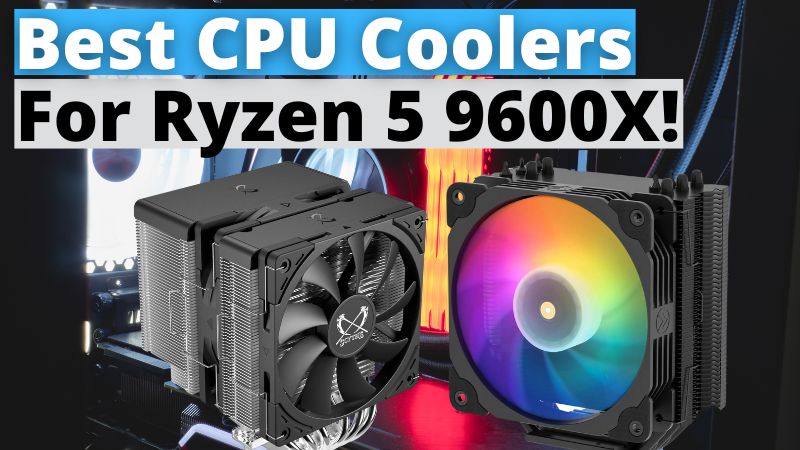
Searching for the best CPU Cooler for the Ryzen 5 9600X?
The 9600X is a fantastic budget CPU for entry-level and mid-range builds. It offers the perfect blend of productivity and gaming performance, great efficiency, and a competitive price.
In this video, I’ve thoroughly testing and researching dozens I picked the 2 best coolers to pair with the 9600x. One if you need a budget but reliable cooler and another one that is the best pair considering design, performance, noise levels, and value.
Things to Consider When Buying a CPU Cooler for the Ryzen 5 9600X
Choosing the right cooler for the Ryzen 5 9600X isn’t just about keeping temperatures low—it also impacts how efficiently the CPU boosts, how quiet the system runs, and how straightforward the installation process is. Below are key factors specifically tailored to AMD’s 65W Ryzen 5 9600X to help you make a well-informed decision.
1. Thermal Load Handling for the 9600X
- Don’t be fooled by the “65W” label. Under sustained all-core loads with Precision Boost enabled, the Ryzen 5 9600X can consistently draw between 90W and 100W. A cooler with a continuous thermal dissipation rating of at least 100W is highly recommended to prevent thermal throttling during heavy workloads.
- Focus on sustained cooling, not peak ratings. Some coolers advertise high peak wattage, but what really matters is how well they handle prolonged heat output. The Ryzen boost algorithm rewards consistent cooling, not just short bursts.
2. AM5 Socket Compatibility and Cold Plate Positioning
- Make sure it supports the stock AM5 backplate. Many modern coolers are designed to use the motherboard’s native backplate, simplifying installation and reducing strain on the LGA socket pins.
- Offset mounting is a bonus. Coolers with a slightly offset cold plate (usually toward the rear I/O side) provide better contact with the hottest part of the CPU die, often reducing core temperatures by a few degrees.
3. Clearance on AM5 Motherboards
| Component | Common Issue | What to Check Before Buying |
|---|---|---|
| VRM heatsinks | Rear fan or fins may collide | Check if the VRM height is ≤ 45mm |
| Tall DDR5 RAM (especially RGB) | Front fan may block first DIMM slot | Go with an asymmetric or compact design |
| Top M.2 heatsinks | Can interfere with the fan or tower | Measure from socket center to the top edge of the M.2 slot |
If in doubt, printing or cutting a cardboard template based on the cooler’s footprint can help avoid compatibility issues before installation.
4. Fan Noise and PWM Control
- Aim for quiet operation at mid-load. During gaming, the 9600X typically stays below 75°C. Setting your fan curve to max out around 1100 RPM keeps noise under 30 dBA without affecting performance.
- Choose coolers with high-quality bearings. Fans with fluid dynamic or SSO (self-stabilizing oil) bearings tend to stay quieter over time and last longer—an important factor for daily-use systems.
5. Air vs. AIO: Know What Fits Your Build
| Use Case | Air Cooler Advantages | AIO Cooler Advantages |
|---|---|---|
| Budget or value-focused builds | Lower cost, easier installation | – |
| Portability (LAN parties, etc.) | Fewer points of failure | – |
| Light overclocking or PBO tuning | Reliable if heatsink height is ≥ 150mm | Greater headroom for extended workloads |
| Clean internal aesthetics | – | Sleeker look with RGB pump blocks |
For most mid-tower builds, a well-designed dual-tower air cooler is more than enough. AIO coolers are only worth considering if your case already supports front-mounted radiators or if you’re optimizing for aesthetics.
6. Headroom for Eco Mode, Undervolting & Future Upgrades
The Ryzen 5 9600X works beautifully with AMD’s 65W Eco Mode, reducing temperatures by 7–10°C with minimal performance loss. Choosing a cooler with some thermal headroom ensures flexibility for disabling Eco Mode, applying undervolting with Curve Optimizer, or upgrading to a higher-core CPU down the line.
7. Lighting, Styling, and Header Compatibility
- Check lighting compatibility. Many AM5 motherboards offer only two 5V ARGB headers. If your case fans already use one, ensure the cooler includes a splitter or daisy-chaining support.
- Material and finish matter. Black-nickel plated heatsinks hide dust better and blend well with tempered glass cases, though they can add a slight premium.
- Mind your RAM visibility. A low-profile heatsink and a slim front fan design ensure tall RGB memory sticks remain fully visible—important for showpiece builds.
Quick Reference Table for the Ryzen 5 9600X
| Spec to Watch For | Recommended Range |
|---|---|
| Continuous thermal capacity | 100W or higher |
| Max heatsink height (for mATX) | 155mm or less |
| Ideal fan RPM (under load) | 900 – 1200 RPM |
| Target noise level at 1 meter | Under 30 dBA |
| Mount type | AM5 native with optional offset base |
By considering these points, you’ll be able to find a cooler that pairs perfectly with the Ryzen 5 9600X—balancing thermals, acoustics, and aesthetics—without overspending or running into compatibility issues later.