
As an Amazon Influencer, we earn from qualifying purchases you might make if you click any of the links or buttons on this page.
A faster processor cannot fix an 8GB graphics card running out of memory or a game that is already GPU-limited. Start with the PC you own, the games you play, and the cost of the entire platform.
Last reviewed: September 30, 2026.
The short answer
For a new gaming PC, start with the Ryzen 5 9600X. It offers a current AM5 platform without paying for X3D performance that an RTX 5060 rarely exposes in demanding GPU-heavy games. If a Ryzen 5 7600X build is meaningfully less expensive, take that instead: the gaming difference is modest.
Already own a Ryzen 5 5600 or Core i5-12400F class CPU? Install the RTX 5060 first and test your own games. For an older AM4 system that truly is CPU-limited, the 5800X3D 10th Anniversary Edition is the premium drop-in option. The Ryzen 5 5600 can also support a constrained new DDR4 build when the complete AM5 system is much more expensive.
Spend more for a named workload: Ryzen 7 7700X3D for CPU-heavy gaming, or Core Ultra 5 250K Plus for regular rendering, compiling or compression alongside gaming.
Quick picks
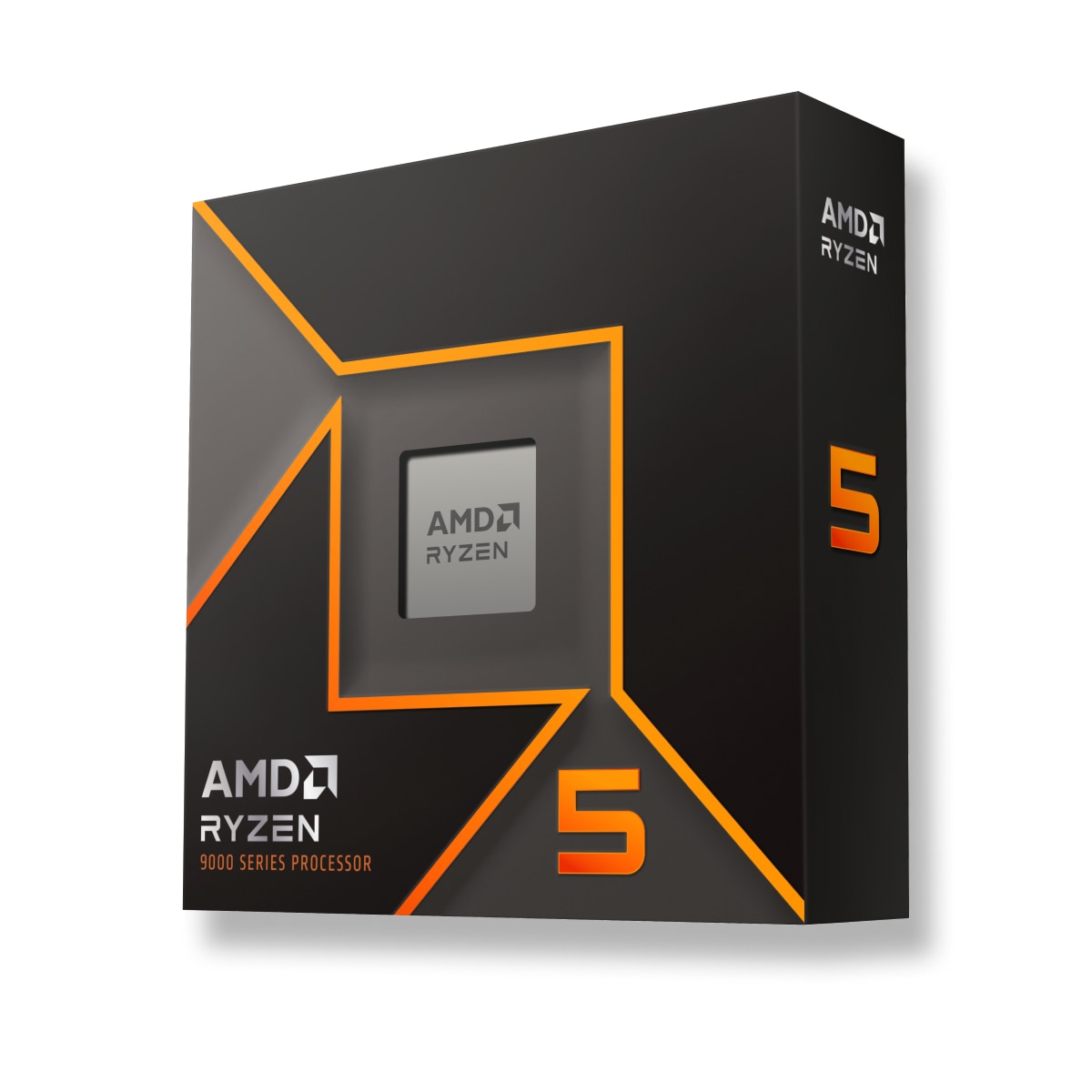
AMD Ryzen 5 9600X
Balanced AM5 choice; compare the full build cost with the 7600X.
Amazon affiliate link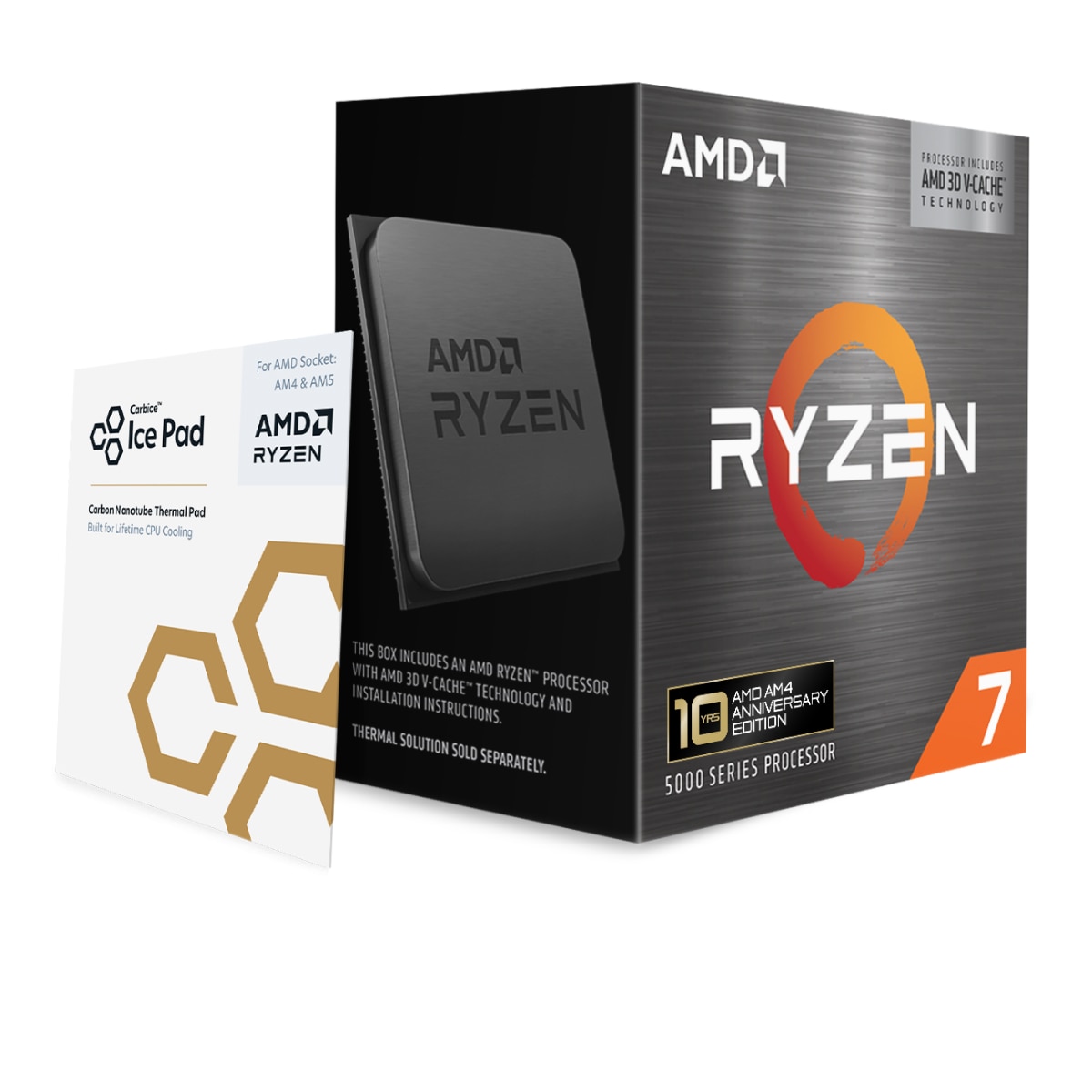
AMD Ryzen 7 5800X3D 10th Anniversary
For an older compatible AM4 PC that is measurably CPU-limited.
Amazon affiliate link
Intel Core Ultra 5 250K Plus
Gaming-tier frame rates with much stronger threaded creation work.
Amazon affiliate linkCompare the CPU paths
| Processor | Best reason to buy | Platform and memory | Cooler in box? |
|---|---|---|---|
| Ryzen 5 9600X | Default new gaming build | AM5, DDR5 | No |
| Ryzen 5 5600 | Lean DDR4 build or inexpensive AM4 upgrade | AM4, DDR4; PCIe 4.0 on a suitable board | Wraith Stealth with boxed CPU |
| Ryzen 7 5800X3D 10th Anniversary | Upgrade a genuinely CPU-limited AM4 system | AM4, DDR4 | No; Carbice Ice Pad included |
| Ryzen 7 7700X3D | CPU-heavy games and future faster GPU | AM5, DDR5 | No |
| Core Ultra 5 250K Plus | Frequent heavily threaded work as well as gaming | LGA1851, DDR5 | No |
A board’s CPU support list and BIOS version matter more than its chipset name. Cooler inclusion refers to the boxed retail CPU, not a tray or bundle listing.
First decide whether you need a CPU at all
Install the RTX 5060 in a healthy PC with a Ryzen 5 5600 or Core i5-12400F class processor or better, then monitor performance in the actual games and settings you use. A fast GPU can be held back in a high-frame-rate esports match, a complex city builder or a crowded simulation. In a visually demanding AAA game, the RTX 5060 may instead be the limit. A generic “bottleneck percentage” does not capture that change of workload.
For example, TechSpot’s RTX 5060 test paired the card with a Ryzen 7 9800X3D, yet recorded 48 FPS in Clair Obscur: Expedition 33 and 45 FPS in Oblivion Remastered at its tested 1080p settings. A CPU upgrade cannot turn those GPU-bound results into high-frame-rate play. Lower GPU settings, use appropriate upscaling, or reconsider the GPU tier if your target remains unmet. Frame generation does not replace a responsive base frame rate.
How to spot the limit in your own PC
Run a repeatable scene at your usual settings. If lowering resolution or graphics quality gives a sizable FPS increase, the GPU was a major limit. If FPS barely changes while one or more CPU threads are saturated and GPU use falls, the CPU or game engine may be limiting. Check temperatures, memory configuration and background tasks before ordering another processor. GPU usage alone is not a perfect diagnostic.
Which CPU should you buy?
| Your situation | Start here | What changes the decision? |
|---|---|---|
| New gaming-first PC with a reasonable DDR5 platform cost | Ryzen 5 9600X | A much cheaper complete Ryzen 5 7600X build gives nearly the same RTX 5060 experience in many games. |
| Already own a capable six-core CPU | Keep it and test the RTX 5060 | Upgrade only if your actual games and target refresh rate show a CPU limit. |
| New PC with a hard cap and unusually costly DDR5 | Ryzen 5 5600 with B550 and DDR4 | When a complete AM5 build becomes close in cost, choose AM5’s CPU upgrade path. |
| Older AM4 PC that is CPU-limited | 5800X3D 10th Anniversary | Keep an existing 5700X3D/5800X3D; consider a platform change if the drop-in costs too much relative to it. |
| Flight sims, factory, city and other CPU-heavy games | Ryzen 7 7700X3D | Only worthwhile when those games need it; a discounted 7600X3D can be close in games. |
| Regular Blender, compiling or compression alongside gaming | Core Ultra 5 250K Plus | Check your exact apps: Photoshop favored the 9600X in one same-method test. |
A practical checkout order
- Keep or replace? Test an existing capable CPU with the RTX 5060 before buying a new platform.
- Set the workload: ordinary 1080p gaming, genuinely CPU-limited high-refresh or simulation play, or recurring threaded work.
- Price the full platform: CPU, compatible board, memory and cooler. Compare AM4 reuse against a new AM5 or Intel system as a complete purchase.
- Check the graphics path: confirm the board’s GPU slot generation and electrical lanes; the RTX 5060 has a PCIe 5.0 x8 interface. Avoid a needless PCIe 3.0 x8 pairing for a new build, especially in memory-sensitive titles.
- Verify before checkout: exact boxed model, BIOS CPU support, DDR4 versus DDR5, cooler mounting and case clearance, plus the current listing’s seller and return terms.
Why the 7600X can beat the 9600X as a purchase
TechSpot’s 12-game CPU comparison measured the 9600X 6% faster on average at medium settings and 3.5% faster at high/ultra. This used a fast graphics card to expose CPU differences; it is not a guaranteed uplift with an RTX 5060. Both CPUs use AM5 and DDR5 and neither includes a boxed cooler. If the 7600X is substantially less expensive after the whole build is counted, choose it. If costs are close, the 9600X is the cleaner default. Check the Ryzen 5 7600X on Amazon (affiliate link).
Detailed reviews
1. AMD Ryzen 5 9600X
The 9600X is enough CPU for a balanced, gaming-first RTX 5060 build. AMD specifies six Zen 5 cores, 12 threads, a 65W default TDP, DDR5 and socket AM5. A modest compatible tower cooler is usually a sensible pairing, but buy one separately and confirm mounting support. A B650 or B850 board can work after you check its exact CPU-support list and BIOS; choose its graphics slot and other features on the individual board, not the chipset label.
The performance argument is measured rather than absolute. In TechSpot’s 12-game same-method comparison, the 9600X beat the 7600X by 6% at medium and 3.5% at high/ultra; a slower RTX 5060 can shrink those differences further. AMD says it will support AM5 through 2029, a useful option if you later install a faster GPU and CPU, though that promise does not guarantee every future chip works on every board without a BIOS update.
Why buy it
- Balanced six-core gaming performance
- AM5 CPU upgrade flexibility
- Manageable cooling and power
Reasons to skip it
- 7600X often gives similar RTX 5060 gaming
- DDR5 and separate cooler add to a new system
Best for: a new gaming-first build when its full-platform cost makes sense. Skip if: a 7600X platform saves substantially, or you already own a capable CPU.
Amazon affiliate link2. AMD Ryzen 5 5600
The plain 5600, rather than the 5600X or 5500, is the value AM4 choice when DDR5 platform costs make a complete AM5 PC unaffordable. It supplies six Zen 3 cores, PCIe 4.0 capability and a Wraith Stealth cooler with the boxed version. Pair it with a compatible B550 board and dual-channel DDR4, then check that the board’s primary graphics slot actually runs at PCIe 4.0. The RTX 5060 itself connects over eight lanes, so a new PCIe 3.0 platform is a poor place to save a small amount if memory pressure is likely.
Do not confuse it with the Ryzen 5 5500. AMD lists the 5500 as PCIe 3.0 only, even when installed in a B550 board. Nor is every older AM4 board PCIe 4.0 simply because a 5600 is installed. If you already own a 5600, keep it first and test. For a new build, compare CPU + motherboard + RAM + cooler against an AM5 combination; AM4 offers a narrower future CPU upgrade path.
Why buy it
- Can reuse DDR4 and compatible AM4 parts
- PCIe 4.0 with the right motherboard
- Boxed model includes a basic cooler
Reasons to skip it
- New AM4 build has limited forward upgrade room
- Older board may require BIOS update and run GPU at PCIe 3.0
Best for: an inexpensive AM4 upgrade or a new system where the complete DDR4 build saves meaningfully. Skip if: AM5 platform cost is close or you need a high-refresh CPU-heavy gaming system.
Amazon affiliate link3. AMD Ryzen 7 5800X3D 10th Anniversary Edition
This reissued 5800X3D is a way to keep an AM4 board and DDR4 memory when an older CPU genuinely limits your games. AMD’s 10th Anniversary Edition includes a Carbice Ice Pad thermal interface, but no CPU cooler. Check cooler instructions before installation, and verify the motherboard’s CPU support page and minimum BIOS version before removing the old processor. The linked Amazon page uses a generic 5800X3D title, so confirm that the seller is supplying the 10th Anniversary Edition with the Carbice Ice Pad before checkout.
In TechSpot’s 13-game CPU-limit test, it matched the Ryzen 5 9600X on average at both medium and ultra settings and was 31–34% faster than the 5600X. Those numbers came from the review’s fast GPU and controlled test conditions; they do not predict the same uplift with an RTX 5060. A current 5700X3D or 5800X3D owner should normally keep the existing chip. A new AM4 system built around this premium processor usually loses the drop-in savings that make it attractive.
Why buy it
- Strong CPU-limited gaming without replacing board and DDR4
- Clear upgrade for much older AM4 CPUs in suitable games
- Anniversary package includes Carbice Ice Pad
Reasons to skip it
- Often no visible gain in GPU-limited RTX 5060 games
- No cooler; BIOS support must be checked
- Limited reason for a new AM4 build
Best for: an older compatible AM4 PC whose actual games show a CPU limit. Skip if: you already have an X3D AM4 CPU or would have to replace most of the platform anyway.
Amazon affiliate link4. AMD Ryzen 7 7700X3D
The 7700X3D is a conditional choice for sim racing, flight simulation, strategy, factory or city games where a CPU limit remains even with your RTX 5060. It also provides more CPU headroom for a later GPU upgrade. AMD specifies eight Zen 4 cores, 96MB of L3, AM5, DDR5 and a 120W default TDP; it ships without a cooler. AMD recommends liquid cooling for optimal performance, so budget for an appropriate cooler and check independent thermal results for the setting you intend to use.
TechSpot’s 13-game CPU-limit test found it 7% behind the 7800X3D and 15% behind the 9800X3D on average, but only 3% ahead of the six-core 7600X3D. In the review’s more GPU-limited maximum-quality results, the gap to the 7800X3D narrowed to 4%. The review used an RTX 5090 to show processor differences: do not transfer its FPS deltas to an RTX 5060. A strongly discounted 7600X3D may be the better buy if available in your area.
Why buy it
- 3D V-Cache can matter in specific CPU-bound games
- AM5 platform and later GPU headroom
- Less need to reach for a faster X3D chip with this GPU
Reasons to skip it
- Little practical uplift in GPU-limited games
- No boxed cooler; higher total platform spend
Best for: a named CPU-heavy game, high refresh target or planned graphics upgrade. Skip if: your RTX 5060 is already the limiting component in the games you care about.
Amazon affiliate link5. Intel Core Ultra 5 250K Plus
The 250K Plus earns a place when gaming shares your PC with sustained threaded work, such as Blender, code builds or compression. Intel lists six performance cores and 12 efficient cores, 18 total threads, LGA1851, DDR5, 125W base power and 159W maximum turbo power. This boxed K processor needs a separate compatible cooler. Pair it with a supported 800-series board such as B860 for stock use, checking the exact BIOS; a Z890 board is relevant if you want CPU overclocking or Intel’s supported 200S Boost configuration.
In TechSpot’s same-method testing, it was just 2–3% ahead of the 9600X across 14 games, but 86% faster in Blender. Photoshop favored the 9600X, so “productivity” is not one uniform benchmark. TechSpot measured 154W CPU consumption under its all-core Cinebench load; that is a workload measurement, not expected gaming draw. If you mainly game and occasionally use Discord or the GPU’s video encoder to stream, this chip’s extra E-cores alone do not justify replacing the AM5 default.
Why buy it
- Strong multicore throughput for regular heavy work
- Gaming close to 9600X in the cited test
- DDR5 800-series platform
Reasons to skip it
- Workload-specific productivity advantages
- Separate cooler and potentially higher sustained CPU power
- AM5 has AMD’s explicit support timeline through 2029
Best for: repeated threaded creation or development work alongside RTX 5060 gaming. Skip if: it is a gaming-only system or your main app runs better on a different processor.
Amazon affiliate linkThree compatibility checks that prevent a bad pairing
1. Socket, RAM and BIOS
AM4 uses DDR4; AM5 and LGA1851 use DDR5. Confirm the exact CPU on the motherboard’s support list and the installed BIOS before swapping processors. An AM5 board’s chipset name alone does not promise a particular GPU-slot generation. Compare B850, X870 and X870E features.
2. PCIe lanes and VRAM
The RTX 5060 has an eight-lane PCIe 5.0 interface and 8GB VRAM. It works in older slots, but bandwidth can matter more when the memory buffer overflows. Check the primary slot’s actual wiring and avoid a new PCIe 3.0 x8 pairing; the CPU alone cannot cure 8GB pressure.
3. Cooler and full-system cost
Only the boxed Ryzen 5 5600 here includes a stock cooler. Check socket mounting, cooler height and airflow. Compare practical air coolers or, for an AM4 X3D upgrade, coolers for the 5800X3D. Then consider whether a better GPU is a more useful use of the budget.
Watch the companion CPU guide
The video covers the main purchase paths discussed above. Its script was used as a research input; the benchmark and hardware claims in this article were checked separately.
If the player does not appear, watch the RTX 5060 CPU guide on YouTube.
FAQ
Is a Ryzen 5 5600 enough for an RTX 5060?
Often yes at ordinary 1080p settings, especially if you already own it. High-refresh, CPU-heavy games can still benefit from a faster CPU. Install the GPU and check your own frame times before upgrading.
Is the 9800X3D overkill?
For a gaming PC built around the RTX 5060, generally yes. It is a faster CPU, but an 8GB RTX 5060 will often cap demanding games first. Buy a flagship CPU for a specific CPU-bound target or a clearly planned much faster GPU, not a bottleneck-calculator score.
Should I pick B850 to give the GPU PCIe 5.0?
Check the actual board specification. B850 does not automatically make its graphics slot PCIe 5.0. PCIe 4.0 x8 is a reasonable route for a cost-conscious RTX 5060 build; do not pay for PCIe 5.0 solely because of this card without weighing the rest of the platform.
Does the 5800X3D anniversary chip need a new motherboard?
Many existing AM4 boards can support it with the right BIOS, but check the board maker’s exact CPU-support entry. It also needs a suitable CPU cooler and correct installation of the included thermal interface.
Will extra cores help me stream?
Not automatically. Many streams can use the RTX 5060’s hardware encoder, so ordinary gaming plus Discord and a stream does not by itself require the 250K Plus. Choose it when your specific CPU-based production work regularly benefits from its additional cores.

- Best RTX 5060 Graphics Cards in 2026: 5 Models Compared - September 30, 2026
- MSI X870 Tomahawk vs B850 Tomahawk MAX: Which Should You Buy? - September 29, 2026
- RTX 5060 Ti 8GB vs 16GB: Which Should You Buy in 2026? - September 25, 2026