
As an Amazon Influencer, we earn from qualifying purchases you might make if you click any of the links or buttons on this page.
Last reviewed: August 21, 2026
The Ryzen 7 9850X3D has a 120W default TDP. That makes the graphics card—not the CPU—the component that usually determines how large the power supply needs to be.
This is important because there is no single correct answer to “How many watts does a 9850X3D need?”
A 9850X3D paired with an RTX 5070 has very different PSU requirements from the same processor paired with an RTX 5090.
For a new high-end build in 2026, I would also strongly prefer a quality ATX 3.1 / PCIe 5.1 PSU with native 12V-2×6 rather than buying an older platform merely because its wattage number is large enough.
The PSUs I would pair with a Ryzen 7 9850X3D
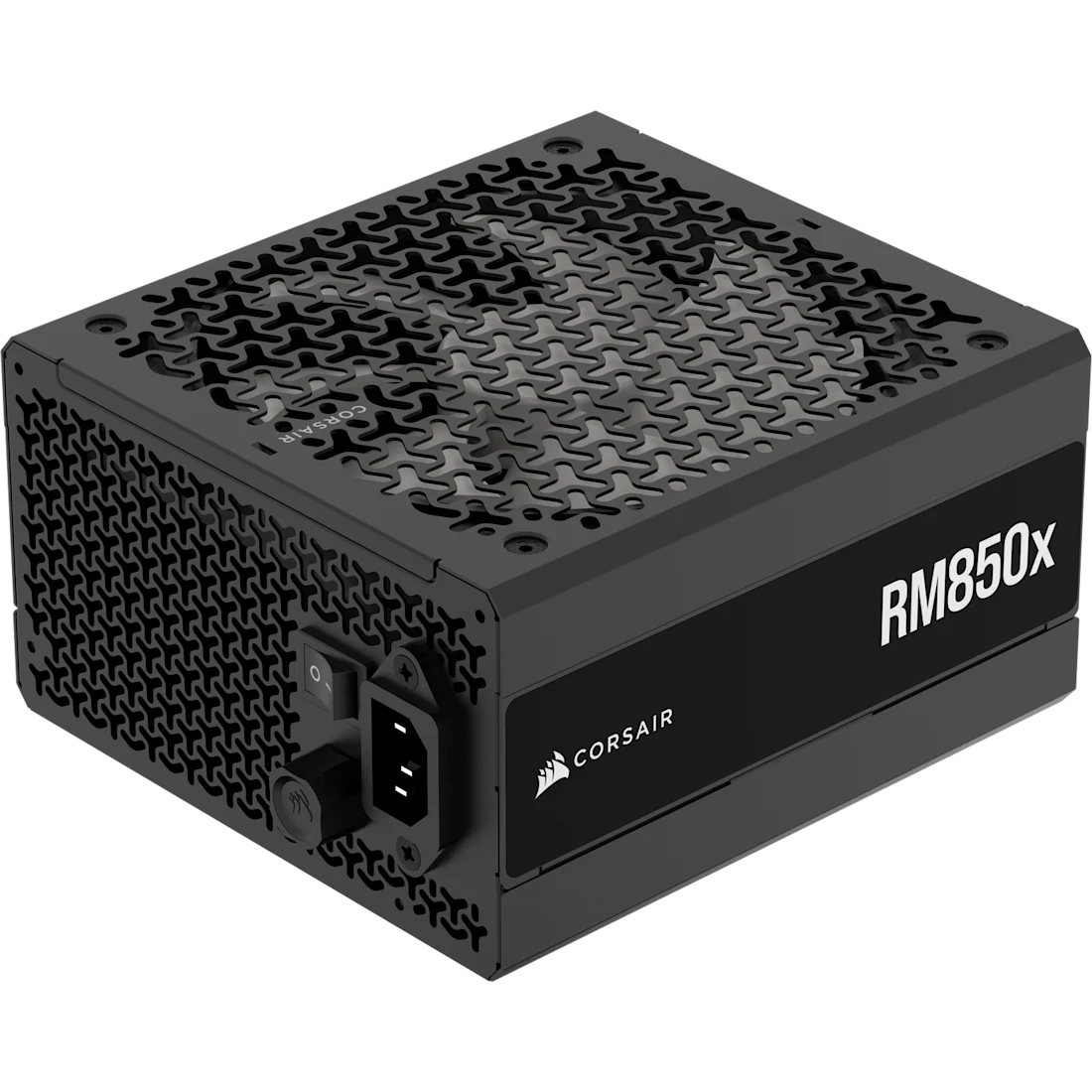
Corsair RM850x
The wattage I would start with for a high-end 9850X3D gaming PC, especially with an RTX 5080 or if future GPU headroom matters.
- 850W, ATX 3.1, PCIe 5.1
- Native 12V-2×6 + 10-year warranty
- Limitation: unnecessary extra wattage for a modest GPU if you know you will not upgrade
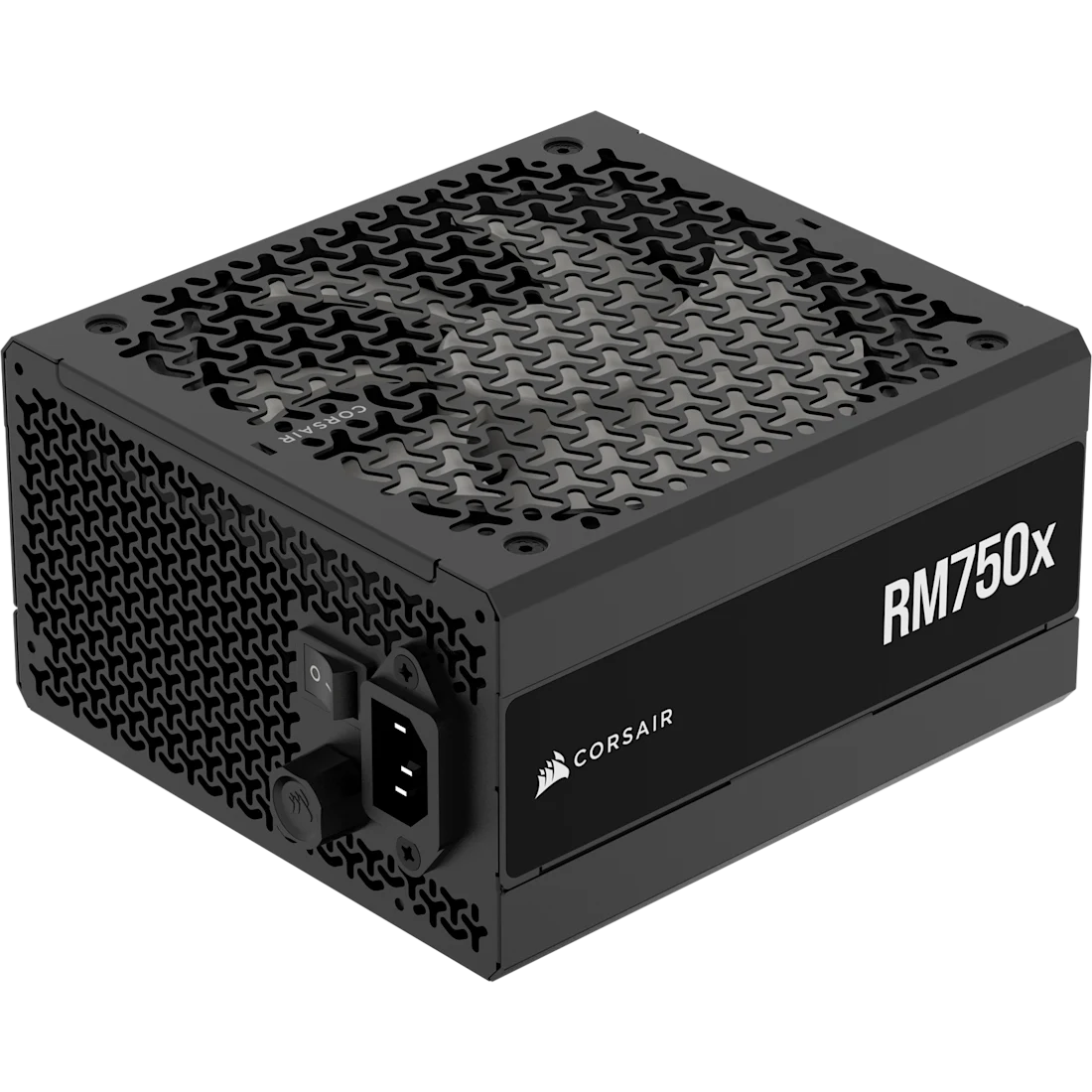
Corsair RM750x
The sensible 750W option when the GPU manufacturer recommends 750W and you do not need to buy unused capacity.
- 750W, ATX 3.1, PCIe 5.1
- Native 600W-capable 12V-2×6 connection
- Limitation: not the PSU I would choose for an RTX 5080 or RTX 5090
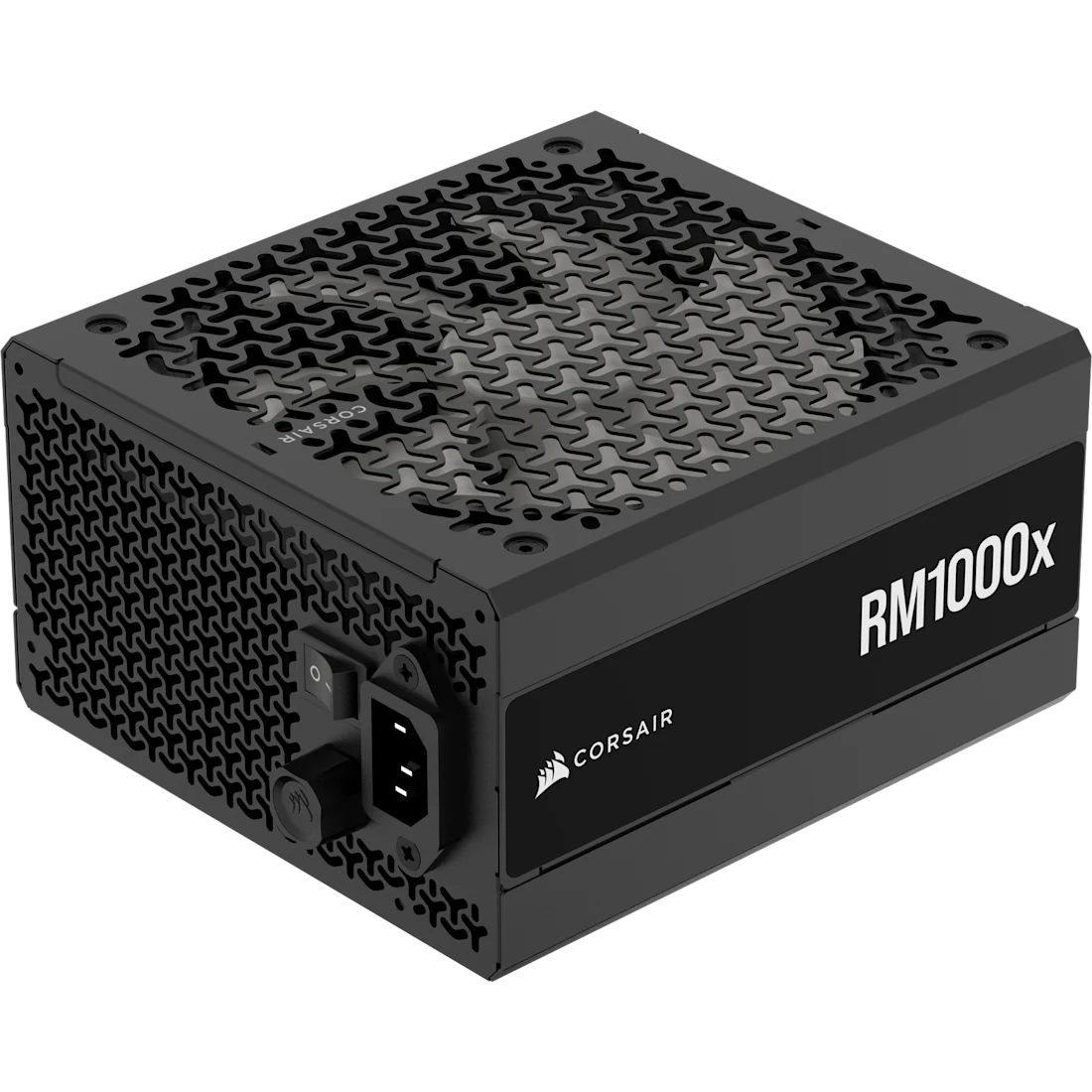
Corsair RM1000x
The appropriate step up for a 9850X3D build using a reference-spec RTX 5090 or another genuinely flagship-class GPU.
- 1000W, ATX 3.1, PCIe 5.1
- Native 600W 12V-2×6 + strong lab results
- Limitation: overkill for most RTX 5070 Ti, RX 9070 XT and RTX 5080 systems
Compare the best PSUs for the Ryzen 7 9850X3D
Swipe → to see the full comparison
| Power supply | Wattage | ATX | GPU connector | Efficiency | Fan | Warranty | Best pairing | Check |
|---|---|---|---|---|---|---|---|---|
| Corsair RM850x | 850W | 3.1 | Native 12V-2×6 | Cybenetics Gold |
140mm FDB Zero RPM |
10 years | RTX 5080 / high-end default | |
| Corsair RM750x | 750W | 3.1 | Native 12V-2×6 | Cybenetics Gold |
140mm FDB Zero RPM |
10 years | RTX 5070 Ti / RX 9070 XT | |
| Corsair RM1000x | 1000W | 3.1 | Native 600W 12V-2×6 | Cybenetics Gold |
140mm FDB Zero RPM |
10 years | RTX 5090 |
How many watts does a Ryzen 7 9850X3D PC need?
Start with the graphics card.
These are the current reference recommendations from NVIDIA and AMD, not guesses based only on adding component TDP numbers.
Swipe → to see the full table
| Graphics card | GPU board power | Manufacturer PSU recommendation | My 9850X3D target |
|---|---|---|---|
| GeForce RTX 5070 | 250W | 650W |
650W quality PSU 750W if upgrading later |
| Radeon RX 9070 | 220W | 650W |
650W quality PSU 750W for extra headroom |
| GeForce RTX 5070 Ti | 300W | 750W | 750W |
| Radeon RX 9070 XT | 304W | 750W | 750W |
| GeForce RTX 5080 | 360W | 850W | 850W |
| GeForce RTX 5090 | 575W | 1000W | 1000W minimum starting point |
Check the exact graphics card, not just the GPU name
NVIDIA and AMD publish recommendations for their reference specifications.
Factory-overclocked partner cards can use more power and may specify a larger PSU. If the exact ASUS, MSI, GIGABYTE, Sapphire, PowerColor or other card manufacturer requires more, follow the card’s specification.
Why 850W is my default for a high-end 9850X3D build
An 850W PSU is not required because the Ryzen 7 9850X3D is unusually power hungry.
It isn’t.
AMD rates the CPU at 120W TDP.
I like 850W because it lines up with the current RTX 5080 requirement while also giving an RTX 5070 Ti or RX 9070 XT system additional GPU-upgrade headroom.
That makes 850W a useful default for someone building a genuinely high-end 9850X3D gaming PC and expecting the PSU to survive a future GPU upgrade.
850W is a default, not a requirement
If your 9850X3D will stay paired with a 300W-class graphics card and the GPU manufacturer recommends 750W, a high-quality 750W ATX 3.1 PSU is a perfectly sensible choice.
The three PSU recommendations in detail
1. Corsair RM850x
The RM850x is the PSU I would use as the reference point when building a high-end 9850X3D gaming PC.
It is ATX 3.1 compliant and supports PCIe 5.1, with a native 12V-2×6 GPU connection rather than requiring a multi-cable adapter for compatible modern graphics cards.
Corsair uses a fully modular cable layout, a 140mm fluid-dynamic bearing fan and a Zero RPM mode at lower loads.
The PSU is rated for continuous 850W output and is backed by a ten-year warranty.
More importantly, this recommendation is not being made from the specification sheet alone.
Hardware Busters measured tight load regulation, good ripple suppression, long hold-up time and strong overall performance.
It also passed the ATX 3.1 transient-load requirements.
That is exactly the sort of independent electrical validation I want before recommending the component responsible for powering an expensive CPU and graphics card.
Buy it if: you are pairing the 9850X3D with an RTX 5080, want comfortable headroom with an RTX 5070 Ti or RX 9070 XT, or expect a future high-end GPU upgrade.
Skip it if: you know the PC will remain on a substantially lower-power GPU and a quality 650W or 750W unit already gives the build enough margin.
2. Corsair RM750x
If the graphics card manufacturer says 750W, there is no rule saying a 9850X3D automatically forces you to 850W.
That makes the RM750x a particularly clean pairing with GPUs in the RTX 5070 Ti and RX 9070 XT class.
NVIDIA specifies 750W required system power for its reference RTX 5070 Ti, while AMD recommends 750W for the RX 9070 XT.
The RM750x still gives you the modern PSU platform I want: ATX 3.1, PCIe 5.1 and a native high-power 12V-2×6 connection.
Like the RM850x, it is fully modular and uses a 140mm fluid-dynamic bearing fan.
Hardware Busters found it capable of delivering its full output at elevated temperature, with tight regulation, good ripple suppression, long hold-up time and ATX 3.1 compliance.
Its measured noise was also low.
750W is not “budget PSU” territory
Wattage and PSU quality are different things. I would take a well-tested 750W RM750x over a questionable 1000W unit simply because the latter prints a larger number on the side.
Buy it if: the exact GPU recommends 750W and you do not expect to move to an RTX 5080/5090-class power requirement during the PSU’s life.
Skip it if: an RTX 5080 is already in the build or a high-power GPU upgrade is a realistic near-term plan.
3. Corsair RM1000x
An RTX 5090 changes the PSU discussion.
NVIDIA rates the reference card at 575W total graphics power and specifies 1000W required system power.
It also allows either four PCIe 8-pin cables through the supplied adapter or a 600W PCIe Gen 5 power cable.
The RM1000x fits that requirement directly.
Its native 12V-2×6 cable is rated for the full 600W connection, and Corsair supplies four dedicated traditional PCIe 8-pin cables as well.
Internally, the reason I am comfortable recommending it is again the test data rather than the 1000W label.
KitGuru measured tight ripple suppression, tight load regulation and solid efficiency while confirming that the PSU could deliver its complete 1000W output.
It uses Japanese 105°C-rated electrolytic capacitors, a fluid-dynamic bearing fan and carries a ten-year warranty.
Check the exact RTX 5090 model
1000W is NVIDIA’s reference recommendation. Heavily factory-overclocked partner cards or unusual system configurations can specify more. Follow the exact card manufacturer’s PSU requirement when it exceeds NVIDIA’s reference.
Buy it if: an RTX 5090 or comparably demanding GPU is actually part of the build.
Skip it if: your system is using a 300–360W-class GPU and you have no realistic plan to move into 500W-plus graphics-card territory.
A quieter 750W alternative
be quiet! Pure Power 13 M 750W
If extremely low PSU noise is a priority, the Pure Power 13 M deserves consideration.
It is ATX 3.1 and PCIe 5.1 compatible, fully modular and includes a native 600W 12V-2×6 connection plus traditional PCIe connectors.
Independent Hardware Busters testing measured exceptionally low noise while still finding good overall performance, good 12V transient response and good ripple suppression.
I still give the RM750x the primary recommendation because the same review flagged room for improvement in the Pure Power’s 3.3V protection and transient behavior.
For someone specifically optimizing a quiet RTX 5070 Ti or RX 9070 XT system, however, the Pure Power 13 M remains a credible alternative.
Why I would buy ATX 3.1 for a new 9850X3D PC
The benefit is not merely a different GPU connector.
ATX 3.x was designed around the much faster power excursions generated by modern CPUs and GPUs.
A compliant PSU has to tolerate short transient loads far above its continuous rated output without falling outside the required limits.
That matters in a high-end gaming system where the GPU can change power demand extremely quickly.
It does not mean every old ATX 2.x PSU suddenly became unsafe or incapable of powering modern hardware.
It means that if I am buying a PSU new today for a system expected to last through several GPU generations, I see little reason to deliberately start with the older standard.
Why native 12V-2×6 is preferable for RTX 50-series builds
Current NVIDIA cards can often be powered either through the included multi-8-pin adapter or through a sufficiently rated PCIe Gen 5 cable.
With a modern ATX 3.1 PSU, I prefer using the PSU manufacturer’s native 12V-2×6 cable when the graphics card supports it.
That removes the bulky multi-cable adapter and simplifies routing.
Fully seat the 12V-2×6 connector
NVIDIA explicitly instructs users to ensure the power plug is fully inserted and sits flush against the graphics-card receptacle.
Do not leave the connector partly inserted and do not route the cable so tightly that the case side panel is pulling it sideways.
NVIDIA also recommends leaving cable slack rather than forcing a tight bend immediately at the graphics-card connector.
Never assume modular PSU cables are interchangeable
The removable end of a modular cable may physically fit another power supply and still be electrically incompatible.
PSU-side modular pinouts are not universally standardized.
When replacing an old PSU, remove its modular cables as well.
Use the cables supplied with the new PSU unless the PSU manufacturer explicitly confirms that the exact cable type is compatible with both units.
This is one upgrade where leaving the old cables installed can be dangerous
Do not choose a cable because “the plug fits.” Verify the manufacturer’s cable-compatibility documentation.
Does 80 Plus Gold mean the PSU is high quality?
No.
An efficiency certification tells you about energy conversion efficiency under defined test conditions.
It does not by itself tell you whether voltage regulation, transient response, protection settings, ripple suppression, fan quality or internal component selection are good.
That is why I prefer PSUs with credible independent electrical testing rather than choosing only from an efficiency badge.
Does an 850W Gold PSU deliver less than 850W?
No.
The efficiency percentage describes the relationship between power drawn from the wall and power delivered to the computer.
A properly rated 850W PSU is designed to provide 850W of DC output.
Efficiency determines how much additional power it needs to draw from the wall and how much is lost as heat during conversion.
Example
If the PC needs 500W of DC power, a PSU that is 90% efficient at that operating point would draw roughly 556W from the wall. It does not mean a 90%-efficient 850W PSU is secretly a 765W PSU.
Is a 1000W PSU better than 850W?
Only if you can use the additional capacity.
Buying 1000W for an RTX 5090 is straightforward because NVIDIA’s reference requirement is already 1000W.
Buying 1000W for an RX 9070 XT just because “more headroom is always better” is much harder to justify.
A quality PSU does not need to spend its entire life at 50% load to be efficient or reliable.
Modern high-quality designs maintain good efficiency across a broad range of normal operating loads.
Buy enough capacity for the actual system, reasonable transient margin and realistic upgrades—not an imaginary future PC.
How much PSU headroom is worth buying?
No major GPU upgrade planned
Follow the exact GPU recommendation. A 750W-quality PSU is completely reasonable for a 750W-class GPU requirement.
Likely high-end GPU upgrade
Moving from 750W to 850W is reasonable if you expect to keep the PSU through a stronger graphics-card upgrade.
Flagship GPU planned
Buy 1000W when an RTX 5090-class GPU is a real plan rather than buying it “just in case.”
What if you overclock or undervolt?
Overclocking and raised GPU power limits can change the calculation.
If you intend to increase GPU power substantially, follow the exact graphics-card manufacturer’s guidance and add appropriate margin.
Undervolting can reduce real power consumption considerably, but I would not buy an undersized PSU on the assumption that the undervolt will always remain configured.
Size the PSU so the hardware remains safe at its intended normal power configuration.
Check PSU size before ordering
Wattage compatibility does not guarantee physical compatibility.
The current RMx units used here are approximately 160mm deep.
That fits many ATX cases comfortably but can become an issue in compact cases or cases where the PSU shares space with a drive cage.
Also allow enough room behind the PSU for modular connectors and cable bends.
Small-form-factor builds may require an SFX or SFX-L power supply instead of a standard ATX unit.
How I evaluated these PSUs
PSU recommendations should not be based on wattage labels and Amazon star ratings.
For this guide I used current AMD and NVIDIA power requirements, manufacturer specifications and independent PSU laboratory testing.
The factors that mattered most were:
- correct wattage for realistic 9850X3D GPU pairings,
- ATX 3.1 and PCIe 5.1 compliance,
- native 12V-2×6 support,
- transient-load behavior,
- voltage regulation and ripple suppression,
- protection implementation,
- cooling and measured noise,
- component/build quality,
- modular cable configuration,
- and warranty length.
We do not claim that these units were electrically load-tested by Best Motherboard Zone where that testing was performed by an independent laboratory.
Calculate the PSU for your exact 9850X3D build
A CPU-specific guide can only go so far because two 9850X3D systems can have dramatically different GPUs, storage, fans and upgrade plans.
Use our calculator if you want to estimate the complete build rather than choosing from the GPU examples above.
PSU Wattage Calculator
Enter the Ryzen 7 9850X3D, your exact GPU, RAM, storage, fans and whether you plan to overclock or leave upgrade headroom.
What I would avoid
- Choosing wattage from the CPU alone. The GPU usually drives the requirement.
- Buying a cheap 1000W PSU instead of a proven 750W or 850W unit. Capacity does not replace quality.
- Buying an old PSU design for a new RTX 50-series build when an ATX 3.1 alternative is available.
- Assuming 80 Plus Gold automatically means excellent electrical performance.
- Using old modular PSU cables with a new power supply without verified compatibility.
- Leaving a 12V-2×6 connector partly inserted or under severe sideways tension.
- Buying 1200W or 1600W “for future-proofing” when your realistic GPU path does not need it.
The best PSU is not the one with the largest number. It is the quality unit that meets the exact GPU requirement, handles modern transient loads and leaves sensible—not absurd—headroom.
The Ryzen 7 9850X3D PSU decision in 30 seconds
RTX 5070 Ti / RX 9070 XT
Buy a quality 750W ATX 3.1 unit. My pick is the Corsair RM750x.
RTX 5080 / upgrade headroom
Buy 850W. The Corsair RM850x is my default for most high-end 9850X3D systems.
RTX 5090
Start at 1000W and check the exact GPU model. My pick is the Corsair RM1000x.
Continue building your Ryzen 7 9850X3D PC
Ryzen 7 9850X3D PSU FAQ
What is the best PSU for the Ryzen 7 9850X3D?
For most high-end gaming builds, I would start with the Corsair RM850x. It provides 850W, ATX 3.1 and PCIe 5.1 support, a native 12V-2×6 connection and enough capacity for an RTX 5080-class build.
How many watts does a Ryzen 7 9850X3D need?
There is no single PSU wattage for the CPU because the graphics card usually determines the system requirement. The 9850X3D itself has a 120W default TDP.
Is 650W enough for a Ryzen 7 9850X3D?
It can be. NVIDIA specifies 650W for a reference RTX 5070 and AMD specifies 650W for the RX 9070. A quality 650W PSU can therefore be appropriate when the rest of the system is conventional and the exact graphics card does not require more.
Is 750W enough for the Ryzen 7 9850X3D?
Yes for many builds. NVIDIA specifies 750W system power for the reference RTX 5070 Ti and AMD recommends 750W for the RX 9070 XT. Check the exact partner-card requirement before buying.
Is 850W enough for a Ryzen 7 9850X3D and RTX 5080?
NVIDIA specifies 850W required system power for the RTX 5080 Founders Edition/reference specification, so a quality 850W unit is the appropriate starting point. Factory-overclocked cards may specify more.
Is 1000W enough for a Ryzen 7 9850X3D and RTX 5090?
NVIDIA specifies 1000W required system power for the reference RTX 5090. Check the exact add-in-board model because highly overclocked cards or unusual systems can require additional capacity.
Should I buy 1000W for an RTX 5080?
Not automatically. NVIDIA specifies 850W for the reference RTX 5080. A 1000W PSU makes more sense when a specific partner card requires it, your system has unusually high additional loads, or a future RTX 5090-class upgrade is genuinely planned.
Does the Ryzen 7 9850X3D require an ATX 3.1 PSU?
The processor itself does not. ATX 3.1 is primarily useful because it is designed for modern platform power behavior and current high-power GPUs. I prefer it when buying a new PSU for a high-end 2026 gaming PC.
Do I need a 12V-2×6 connector?
It depends on the graphics card. Many current NVIDIA GPUs use the 16-pin connection, while cards such as AMD’s reference RX 9070 XT use traditional 8-pin connectors. A modern PSU with both connection types gives you more flexibility.
Can I use the adapter included with an NVIDIA graphics card?
Yes when installed according to NVIDIA’s instructions and connected to the required number of PSU cables. With a new ATX 3.1 PSU, however, I prefer the PSU manufacturer’s native compatible 12V-2×6 cable for cleaner routing.
Can I reuse modular PSU cables from my old PSU?
Do not assume you can. Modular PSU pinouts are not universally standardized. Reuse a modular cable only when the PSU manufacturer explicitly confirms compatibility between the exact PSU and cable.
Is 80 Plus Gold enough for a gaming PSU?
Gold efficiency is useful, but it is not a complete quality rating. Electrical performance, transient response, protection settings, internal design, cooling and warranty also matter.
Should I buy a 1200W PSU for future-proofing?
Usually not unless your expected GPU path can genuinely use it. For most 9850X3D gaming systems, 750W or 850W is more appropriate, while 1000W covers reference RTX 5090-class requirements.
Specification and testing references
CPU and GPU power specifications were checked against AMD and NVIDIA. PSU specifications were checked against Corsair and be quiet!, while electrical-performance conclusions are based on independent laboratory testing rather than unverified user ratings.
- AMD — Ryzen 7 9850X3D specifications
- NVIDIA — RTX 5070 and RTX 5070 Ti power specifications
- NVIDIA — RTX 5080 power specifications
- NVIDIA — RTX 5090 power specifications
- AMD — Radeon RX 9070 XT power specifications
- Corsair — RM750x specifications
- Corsair — RM850x specifications
- Corsair — RM1000x specifications
- Hardware Busters — Corsair RM750x ATX 3.1 electrical testing
- Hardware Busters — Corsair RM850x ATX 3.1 electrical testing
- KitGuru — Corsair RM1000x ATX 3.1 electrical testing
- be quiet! — Pure Power 13 M 750W specifications
- Hardware Busters — Pure Power 13 M 750W electrical and noise testing
- NVIDIA — RTX 5090 installation and power-connector guidance

- Best CPU Coolers for Ryzen 7 9850X3D in 2026 - August 21, 2026
- Best PSUs for Ryzen 7 9850X3D in 2026 - August 21, 2026
- Best RAM for Ryzen 7 9850X3D in 2026 - August 21, 2026